AI Image Relighter Generator
upload image
AI Image Relighter Result
Upload an image and configure to see the AI-generated result here
Similar Styles
View All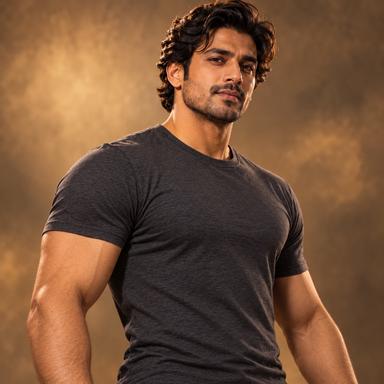



AI Image Relighter
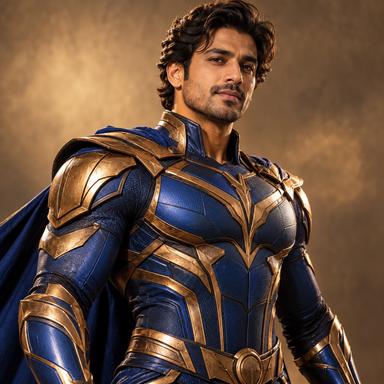
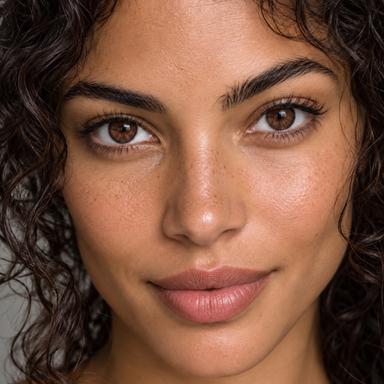
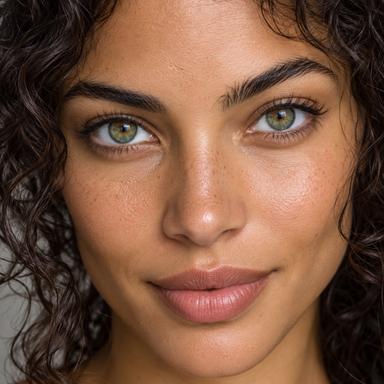
Upload one photo and choose a lighting style and direction to explore a new look. AI reconstructs the image, so compare faces, colors, and scene details with the original.

How to Use AI Image Relighter
Complete the edit in three straightforward steps

1. Upload Your Image
Choose a clear JPG, PNG, or WebP image that shows the area you want to edit.
2. Choose Light and Direction
Select Natural Daylight, Golden Hour, Soft Studio, or Dramatic Cinematic, then Front, Left, Right, or Backlight. Use Additional Details to specify shadow softness and details to preserve.
3. Generate and Review
Generate the edited image, inspect the preserved details, and download the result when it matches your goal.
Best Inputs for More Reliable Results
A few input choices can make the requested edit more consistent
Use a Clear Target
Choose an image where the subject or area being edited is easy to identify and not heavily obstructed.
Start with Enough Detail
Images with usable resolution and natural lighting give the model more information to preserve.
Prefer a Simple Composition
Use an image with clear subjects and visible surfaces where new light and shadow can be applied consistently.

AI Image Relighter Use Cases
Suggested settings and instructions to try; these are not measured test results.

Portrait Lighting
Try Soft Studio with Front light. Add: soften the shadows under the eyes and keep the facial features and skin texture. Compare the face and hair edges with the original.
Product and Interior Lighting
For a product, try Natural Daylight from Left. Add: gentle side light, soft contact shadow, keep the label legible. Check label text, color, reflections, and contact with the surface.
Creative Mood Development
Try Golden Hour with Backlight for a warmer outline, or Dramatic Cinematic from Right for stronger contrast. Review shadow direction and whether bright edges look plausible.
What to Expect from AI Editing
Understand the result boundaries before using the generated image
The Model Reconstructs Pixels
Strong lighting changes can affect perceived colors and shadows. Complex reflective surfaces may require another generation.
Review Important Details
Check faces, hands, text, logos, product details, and background geometry before publishing or using the result commercially.
A Clearer Input Can Improve the Result
If the first result changes too much, use a clearer image, simplify the request, or choose a more specific option.

Why Use AI Image Relighter
A focused workflow for one clear image-editing task
Focused AI Editing
AI Image Relighter is designed around this specific editing goal instead of applying broad, unrelated changes to the whole image.
Preserve Important Details
The request prioritizes the original subject and scene, but generated pixels can change. Check identity, product colors, labels, and fine details before use.
Simple Guided Controls
Upload one image, choose the requested result, add optional details, and generate without learning complex editing software.
Download-Ready Result
Review the generated image and download the result for personal, creative, or commercial workflows where permitted.
Relighting or Brightness Adjustment?
Choose the edit according to what needs to change in your photo.
New Shadows or Just a Brighter Photo
Exposure adjustment changes image brightness without inventing a new light source. AI relighting can reconstruct highlights and shadows to suggest a different direction or mood. If you only need a brighter photo with exact details, start with exposure controls in a photo editor.
AI Image Relighter FAQ
Practical answers about inputs, results, and usage
Try AI Image Relighter
Upload an image, choose the requested result, and generate a focused AI edit.