AI Multi-Pose Photo Generator
Turn one full-body photo into a six-pose collage featuring the same person and outfit on a white background.
Example result
CreativeStyle example; your result uses your photo
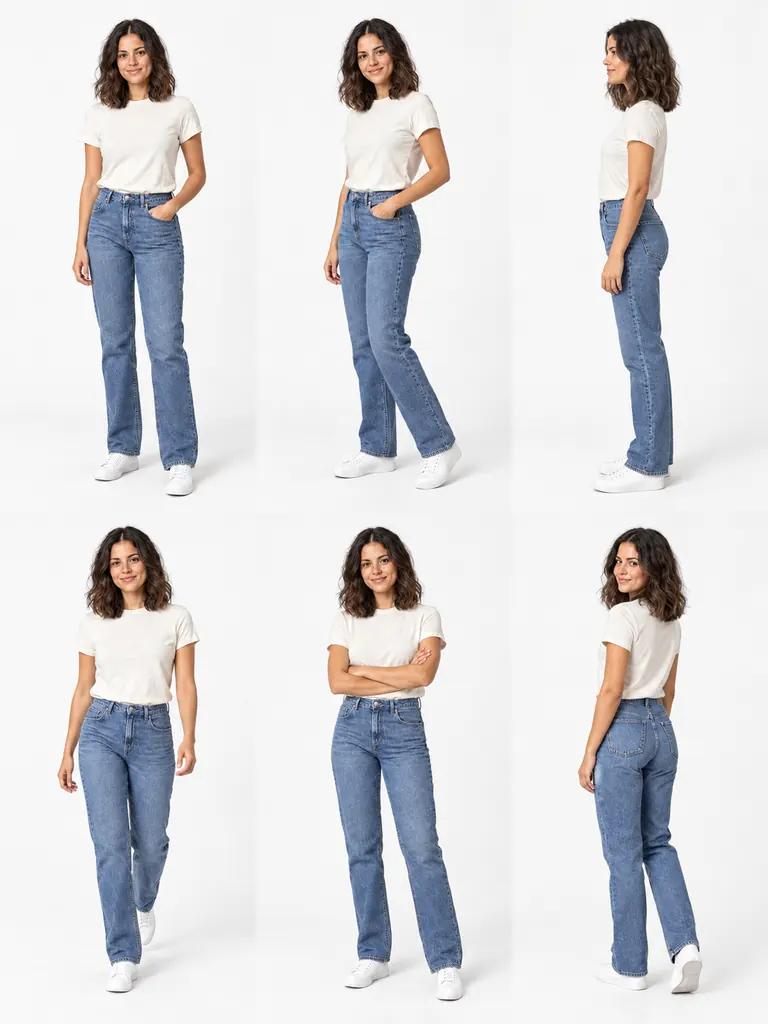
- Your input
- Use one full-body photo with the person’s face, outfit, hands and shoes visible. Leave room around the silhouette.
- Your result
- One collage containing six views arranged in three columns and two rows. The preset changes pose while aiming to keep the person and outfit consistent.
Start with one outfit photo
The pose set is ready to use; no prompt writing is required.
Upload a full-body photo
Replace the sample with a clear photo of one person. Include the face, hands and shoes, and keep the outfit visible from head to toe.
Choose your frame
Start with the recommended 3:4 ratio. Open Customize for a different canvas; changing the ratio changes the space around each figure.
Generate your collage
Check the displayed credit cost, generate, then review the six views. Download the completed image to keep or share your favorite interpretation.
See one outfit in six poses
Bring several views together on a white studio background. Compare posture, angles and the overall outfit without switching between separate pictures.
Original photo
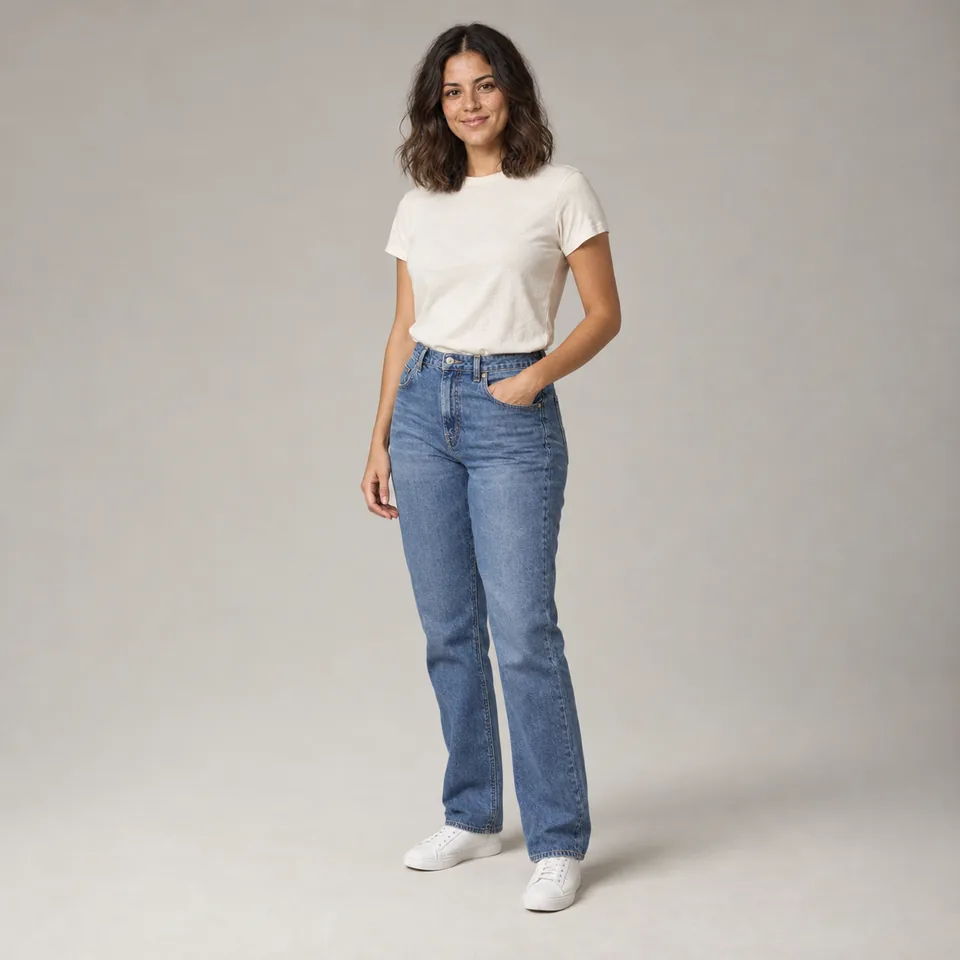
Generated example
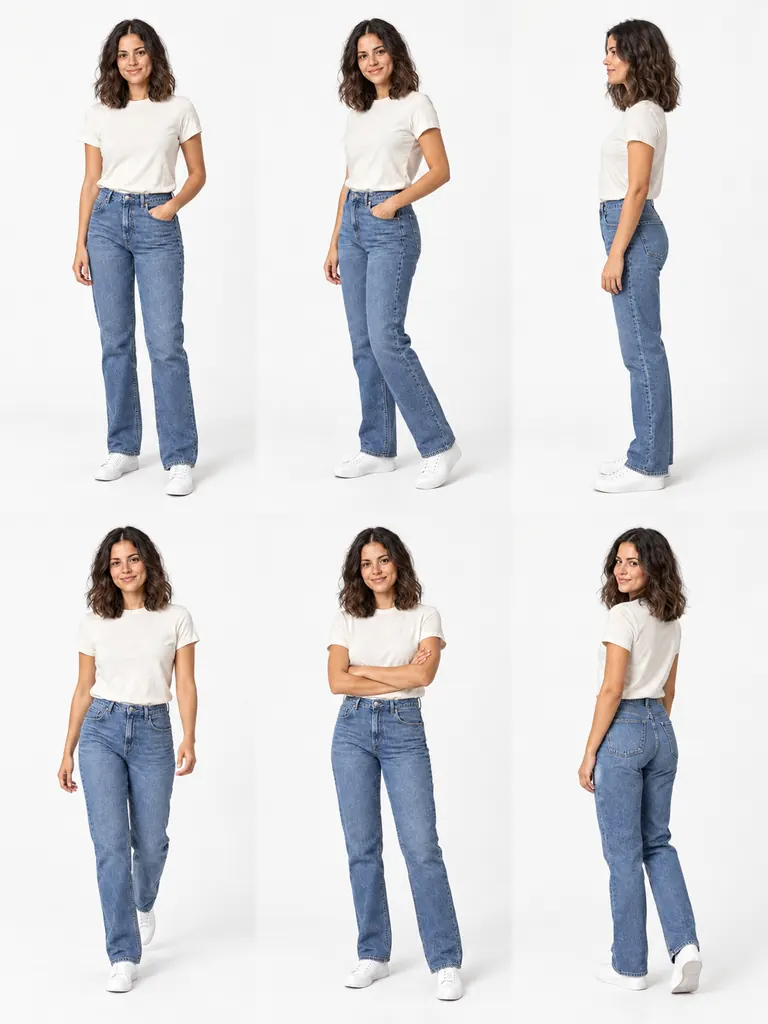
Compare the mood of each pose
A slight turn, a walking stance or crossed arms can give the same outfit a different character. Compare the views to find directions for a real photo session.
Keep attention on the outfit
A white studio background brings the figures together without competing scenery. Seeing them on one sheet makes it easier to compare posture and overall silhouette.
See the idea in the sample
The example keeps a white T-shirt, jeans and white sneakers recognizable across front, turned, side, stepping, crossed-arm and over-the-shoulder views. It shows the intended range from one reference.
Find a direction before your next shoot
Use the collage when your outfit is ready but you are still deciding how to present it. Start with a visual reference for your plans.
Prepare for a personal photo session
Before a portrait or outfit shoot, pick poses to discuss with your photographer. Point to a stance or angle that interests you instead of explaining it from memory.
Refresh familiar outfit posts
When your posts start to look alike, explore new poses using a photo you already have. The generated views can suggest a different direction for your next post.
Explore a newly styled outfit
After putting an outfit together, try a collage to explore how you might present it. Use it for pose inspiration while keeping the real garment as your reference for details.
Keep your ideas together or share the whole look
Choose a destination that benefits from seeing several poses side by side.
Add it to a styling mood board
Save the collage alongside outfit inspiration, color references and shoot notes. Keeping the views on one sheet makes it easy to revisit a visual direction.
Create a personal outfit post
Share the complete collage in a social post when several poses help tell the story. Preview your crop so the full arrangement remains visible.
Share a reference with your photographer
Send the sheet with a short note about the poses you want to try. A shared image gives you something concrete to discuss while planning the session.
Frequently asked questions
Can I choose the six poses individually?
The pose set is preset, with no controls for individual cells. The generated stance and placement can vary between results, so the example is a guide to the composition rather than a fixed pose arrangement.
Can I use a selfie or a photo with cropped legs?
A full-body reference works better. With a cropped photo, the model must invent the missing body, clothes and shoes. Even lighting and an unobstructed outfit give it more visible detail to work from.
Will every view keep my face and clothing exactly the same?
The template aims for recognizable identity and clothing, but details can change. Side and rear views are generated interpretations. Check faces, fingers, fabric patterns and shoes against your source before using the result.
Can I download each pose as a separate photo?
Download saves one combined collage. The tool does not export six individual cells or a lookbook PDF. Choosing more outputs creates additional collages rather than separate poses.
Can I try on a different garment or make product photos?
This template uses the outfit already worn in your photo; it has no separate garment input. It is intended for personal visual ideas, not fit measurements or an accurate clothing catalog.
Do I need credits or an account?
Generation uses credits. The Generate button shows the cost for your selected output count. Sign in when prompted; you can inspect the existing sample result before starting your own generation.