AI 80s Photo Generator
Upload a portrait to create an ’80s-inspired photo with retro hair, clothing, a period setting, and film-style color.
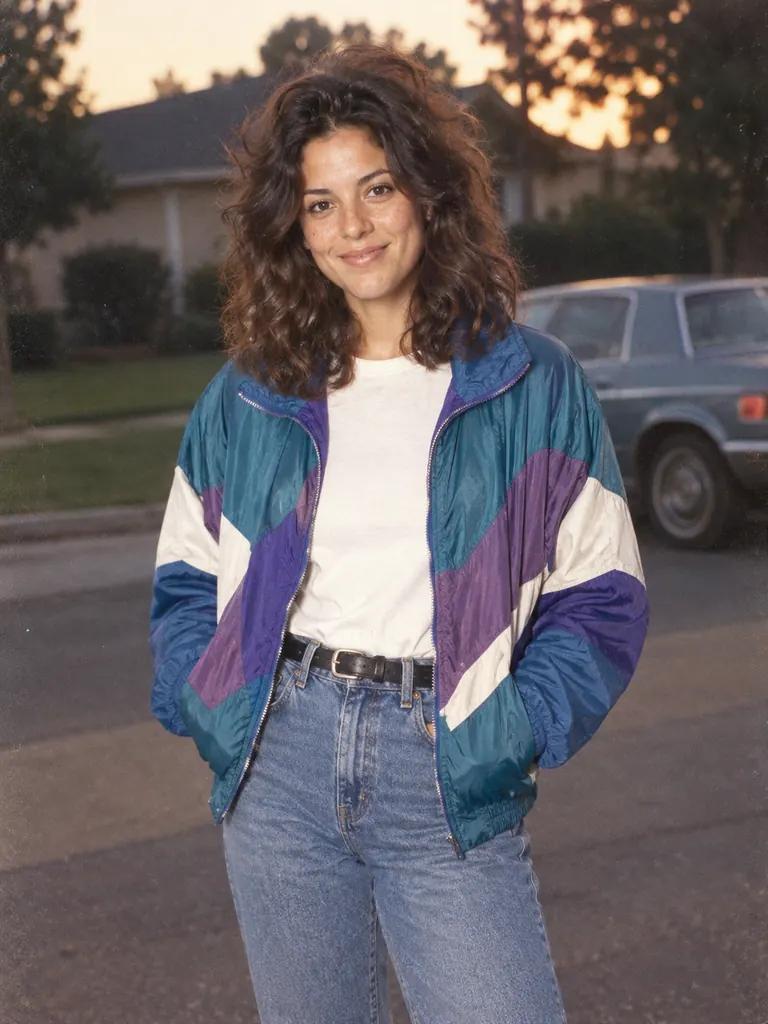
Example result
CreativeStyle example; your result uses your photo
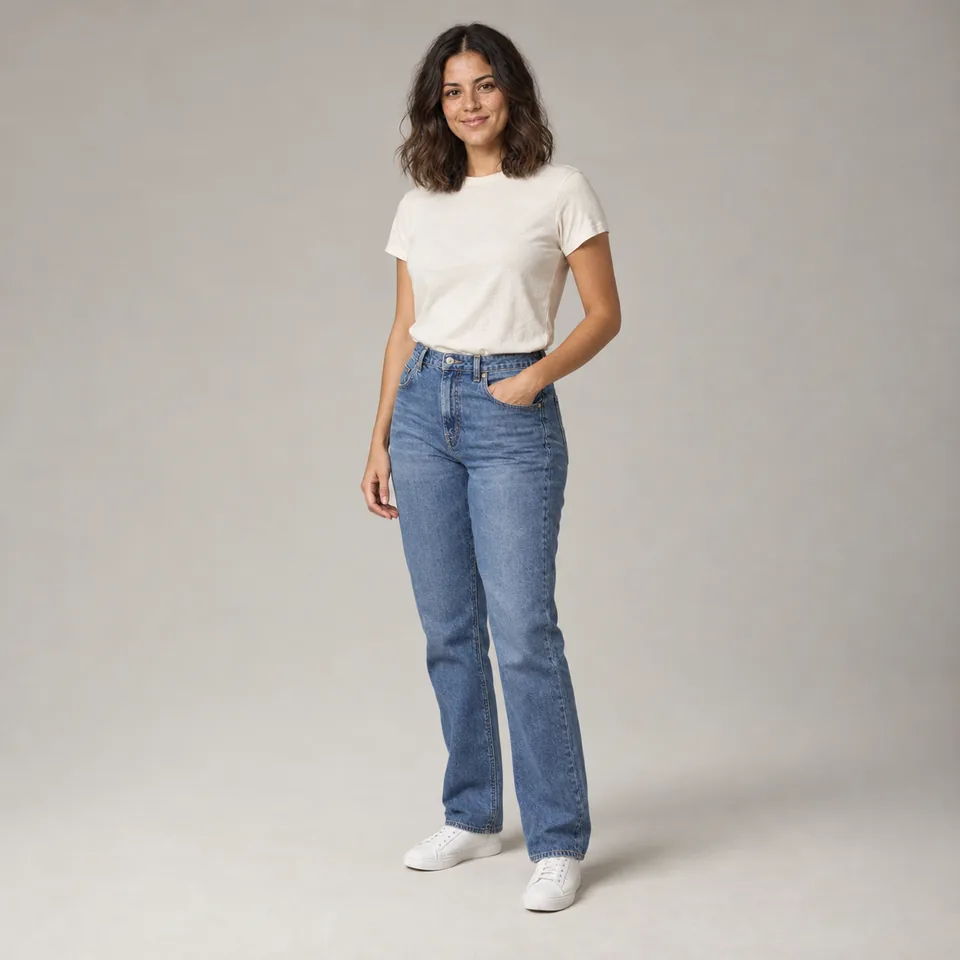
- Your input
- Use a clear photo of one person, with the face visible and enough room to show their shoulders or outfit.
- Your result
- One restyled portrait per output. The template aims to retain facial identity while changing hair, clothes and the surrounding scene.
Start with a photo you already have
The 80s look is ready to use. Bring your portrait and let the preset handle the scene.
Choose your portrait
Replace the sample with a clear photo of one person. A face-and-shoulders view works well; a wider photo gives more outfit context.
Set the frame
Start with the recommended 3:4 portrait ratio, or open Customize to choose a different shape for the image you want to make.
Generate your new look
Check the displayed credit cost, generate, then compare the portrait with your original. Download the version you want to use.
Step into an everyday 80s scene
See yourself in a photographic portrait inspired by the decade: fuller hair, casual period clothing and a setting that feels like an old snapshot.
Original photo
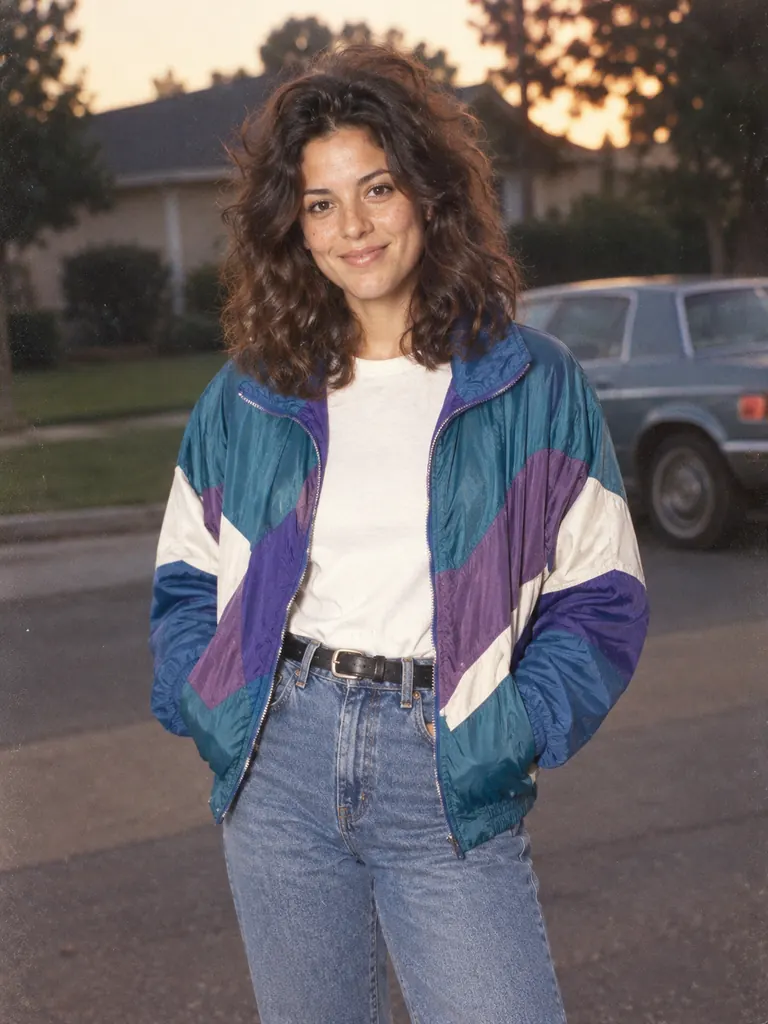
Generated example
Period hair and clothing
Explore fuller hair and casual 1980s styling from a present-day portrait. The preset brings the look together without requiring you to assemble a costume.
A scene with a photographic finish
An outdoor setting and warm film-like color give the portrait the feel of an old snapshot. Your pose and framing can change with the scene.
See the idea in the sample
The example turns a studio photo in a white T-shirt and jeans into a closer portrait with a colorful windbreaker, fuller hair and a parked car.
Give your next occasion a retro look
Use a personal portrait when you want the theme to feel connected to you, whether you are planning an event or refreshing what you share online.
Set the mood for an 80s party
Preparing a themed birthday or gathering? Use the portrait on a digital invitation or event post. Add the date and wording in your design app after downloading.
Refresh your profile picture
When your usual avatar feels too familiar, try a different decade. Preview a square or circular crop to make sure the face stays comfortably in frame.
Share a before-and-after story
Give friends a look at your imagined 80s self. Place the portrait beside the original in a social post so the styling and setting changes are easy to see.
Choose how far back to take your photo
The right retro effect depends on what you want to change. This generator is useful when your idea includes a new look and setting.
Try a complete period look
Choose this generator when hair, clothing and surroundings are part of your idea. Start from your own portrait and explore a visual direction for a costume or themed design.
Keep the focus on color
If your idea is mainly a retro color treatment, explore the linked 1970s color filter. That offers a different creative direction from rebuilding a portrait scene.
Explore a drawn interpretation
Choose Vintage illustration when you want an illustrated finish. Stay with this 80s portrait style for a photographic interpretation of yourself in a period setting.
Frequently asked questions
Can I use a selfie or a group photo?
A clear solo selfie can work. Avoid sunglasses, strong beauty filters and distant faces. Group photos are not suitable for this template, which is designed around one person.
Will it keep my face exactly the same?
It aims to retain recognizable identity, but facial features and expression can change. Compare the eyes, smile and facial proportions with your original before sharing.
Can I choose a specific hairstyle, jacket or car?
Those details come from the preset and can vary between results. There are no individual hairstyle, outfit or vehicle controls.
Does generation require credits or an account?
Generation uses credits, with the cost shown on the Generate button for your selected output count. Sign in when prompted to continue with your account.
Can I try another version of the same photo?
Yes. You can generate again using the same reference and style. Each new generation uses credits and may produce a different interpretation of the scene.
Will my uploaded photo be changed?
The generated portrait is a separate result. Keep your original file if you want to use it again or make a before-and-after comparison.