How to Create Content Covers with AI: One Topic, Three Compositions
PhotosStyle Team
9/14/2026
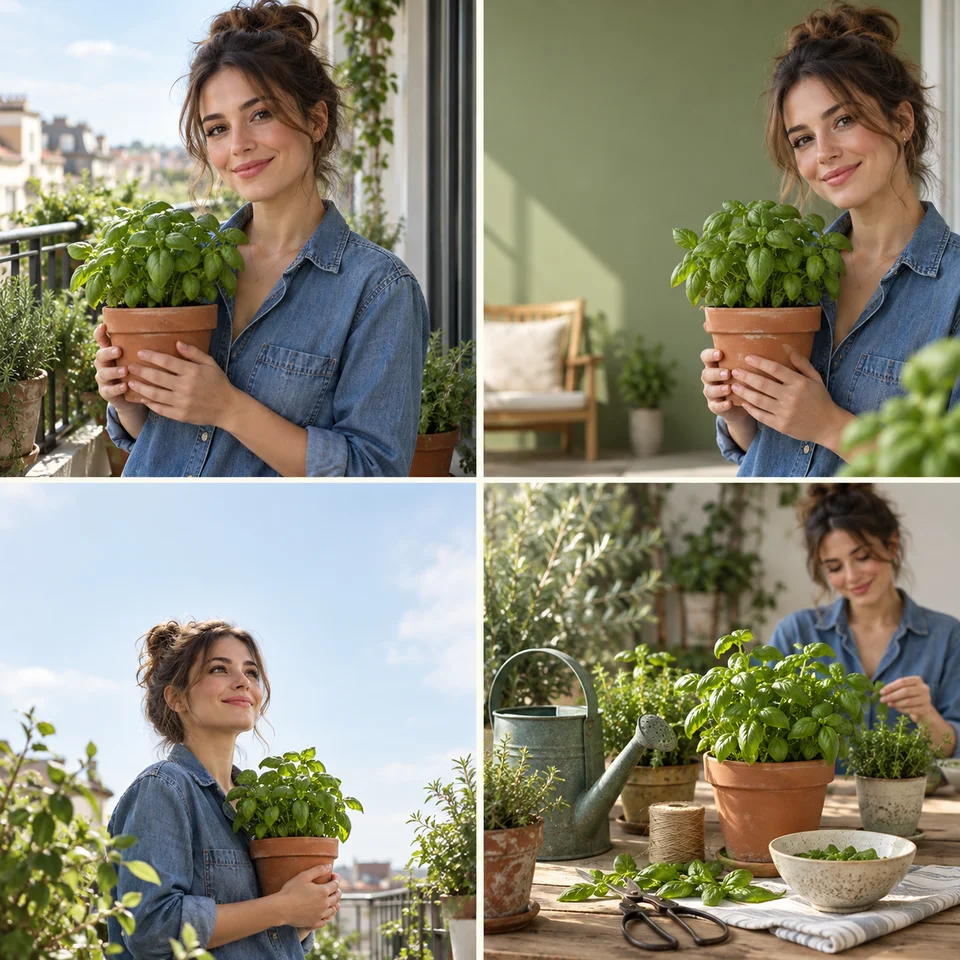
A video thumbnail, a vertical post and an article header may introduce the same story, but they do not have the same job. Start with one recognizable subject, then change the framing for each placement. This workflow uses a balcony herb-gardening topic to show how to keep a shared visual identity without forcing one crop into every shape.
What you will make
- Video thumbnail
- Vertical cover
- Article header
The illustration shows an example reference at top left and three possible visual directions in the other panels. All panels are square teaching examples; the prompt below requests separate output ratios. They are AI-generated illustrations, not recorded Creator outputs.
Prepare your reference
A topic; reference photos are optional.
Use a sharp, well-lit photo with the important subject fully visible. Keep the original available so you can compare details. If a style reference is optional, explain whether it should influence color, lighting or composition.
Use the scene in Creator
- Open Creator using the link below. Sign in if prompted.
- Copy the example below into Creator, adapt it to your project and upload your reference photos. Submit, answer any clarification questions and review the image plan and credit cost before confirming.
A brief you can adapt
My topic is growing basil on a small balcony. Use the uploaded portrait and plant as references. Keep the same face, denim shirt, terracotta pot and healthy basil. Use warm cream and sage green. I want a 16:9 video thumbnail with the person on the right, a 3:4 vertical cover with room above the subject, and a 16:9 article header with a wider balcony setting. Leave clean space for a short headline; generate no text. First confirm these three output types.
Refine one thing at a time
Choose one promising result and refer to that image in the same conversation. Name the part to keep and the single change to make. Compare the revision with the reference before requesting the next output.
Keep the selected video-cover direction, the person and the basil pot. Simplify the left background and move the face away from the edge. Keep the lighting and colors. Do not redesign the other two images yet.
Questions before you finish
Can I use the same crop everywhere?
You can reuse the subject and palette, but a wide header and a vertical cover need different framing. Check each result at a small display size: the subject should remain recognizable, and any headline you add later should not compete with it. Exact final pixel dimensions must be checked separately.
Can I get exact platform sizes or print-ready files?
Creator currently offers 1:1, 9:16, 16:9, 4:3 and 3:4 aspect ratios. These describe shape, not guaranteed final pixel dimensions. Check dimensions after downloading; use a separate editor for exact sizing, typography or print preparation.
Does the example promise the same result?
No. Reference quality, instructions and the generated result all matter. Review subject accuracy and any names, prices or dates before sharing. Start with the outputs you actually need rather than requesting a full set by default.
Related guides
- Plan your visual brief
- Restaurant Social Media Images: Start with One Food Photo
- Family Photo Keepsake Ideas: Portrait, Card and Album Cover
External reference: Adobe Express — YouTube thumbnails. For comparison, this reference shows how the same kind of visual is used in a design workflow. Its editing or export features are not claims about Creator.